
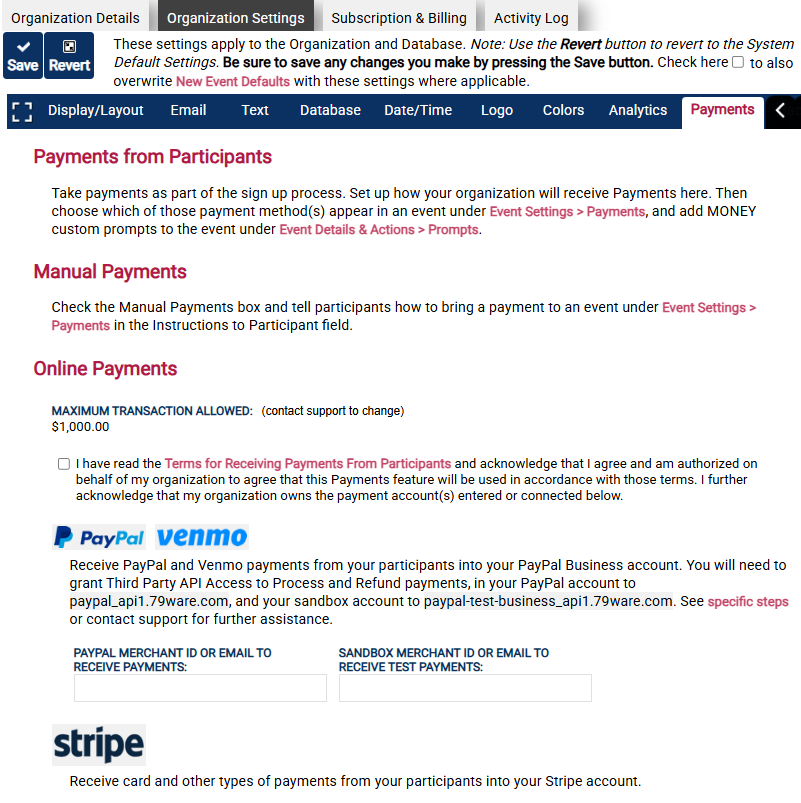
With a Premium subscription you can accept payments for your events. You can select Manual Payments, PayPal (which includes Venmo), and/or Stripe as a payment method. Each provides additional options for display and payment preferences. See Organization Settings for setup details.
- Fixed and conditional amounts. Add a payment prompt to the signup under Custom Prompts. The amount can be fixed, or it can depend on the value of another prompt. For example, a CPR class could charge a different rate for each level chosen from a dropdown list.
- Refunds. You can let participants be refunded when they cancel their own signup. Administrators can also refund a participant from the Manage tab.
How to Show Money Raised #
On the Display tab, set Needed Display When Showing to Everyone to “Money (Premium)” to show the total paid or committed through a payment prompt.